Wallet Hygiene Guide: How To Keep Your Crypto Safe
Learn the most vital Web3 wallet hygiene practices to protect your crypto in 2026. Covers seed phrase security, wallet segregation, phishing prevention, smart contract approvals, and estate planning.
- Store your seed phrase offline only. Never save it in screenshots, email, cloud docs, or chat apps.
- Use multiple wallets so that one mistake cannot drain everything.
- Assume phishing is everywhere. Treat DMs, links, and “support” messages as hostile by default.
- Review smart contract approvals regularly and remove permissions you no longer need.
- Avoid blind signing and verify every transaction before you approve it.
- Use strong authentication. Prefer app-based 2FA or a hardware security key over SMS.
- Keep wallet software and hardware firmware up to date.
Introduction
In crypto, you are the bank. There is no customer service hotline and no fraud department to call if something goes wrong. That makes wallet protection the single most important responsibility for any crypto investor.
This guide covers the battle-tested best practices you need to keep your crypto wallet security airtight in 2026 and beyond.
Check out the free Kerberus browser extension to get automated protection against the biggest Web3 security threats in crypto, most of which we cover below.
What is Crypto Wallet Hygiene?
Crypto wallet hygiene is the set of habits and rules you follow to keep your digital assets safer day to day. Just like personal hygiene, the onus is on you to put in the work. These Web3 security essentials cover how you:
- Store your private key and recovery phrase
- Separate wallets for different activities
- Spot and avoid scams
- Manage token approvals when using DeFi
Why is Wallet Hygiene So Important?
Crypto operates differently from traditional banking, and in fact, it was created to replace it. If someone steals your funds, there is usually no chargeback and no recovery team. If you lose your seed phrase, there is often no way to restore access.
That is why wallet hygiene matters. It reduces the risk of theft, accidental loss, and getting tricked by scammers into signing the wrong transaction.
If you are new to self-custody, start here first: What is Self-Custody in Crypto?. It explains the core tradeoff of crypto ownership: you control the keys, but you also carry the responsibility.
Types of Crypto Wallets and When to Use Each
Before you set up your first crypto wallet, you need to understand the main wallet types and their risks. There are two key questions to consider.
1. Is it controlled by you or by another party?
Custodial wallets
A custodial wallet is one where a third party, typically a crypto exchange, holds the private keys on your behalf. This setup is easier for beginners, but it introduces counterparty risk. If the exchange is hacked, frozen, or collapses, your funds can be directly impacted.
For long-term holdings, self-custody is usually the safer option if you can follow basic security practices.
Non-custodial wallets
A non-custodial wallet (also called a self-custodial or private wallet) gives you exclusive control over your private keys and seed phrase. No third party, exchange, or bank can manage or access your funds.
This is the “not your keys, not your coins” principle in practice, giving you total ownership, enhanced privacy, and direct blockchain access.
2. Is it connected to the internet?
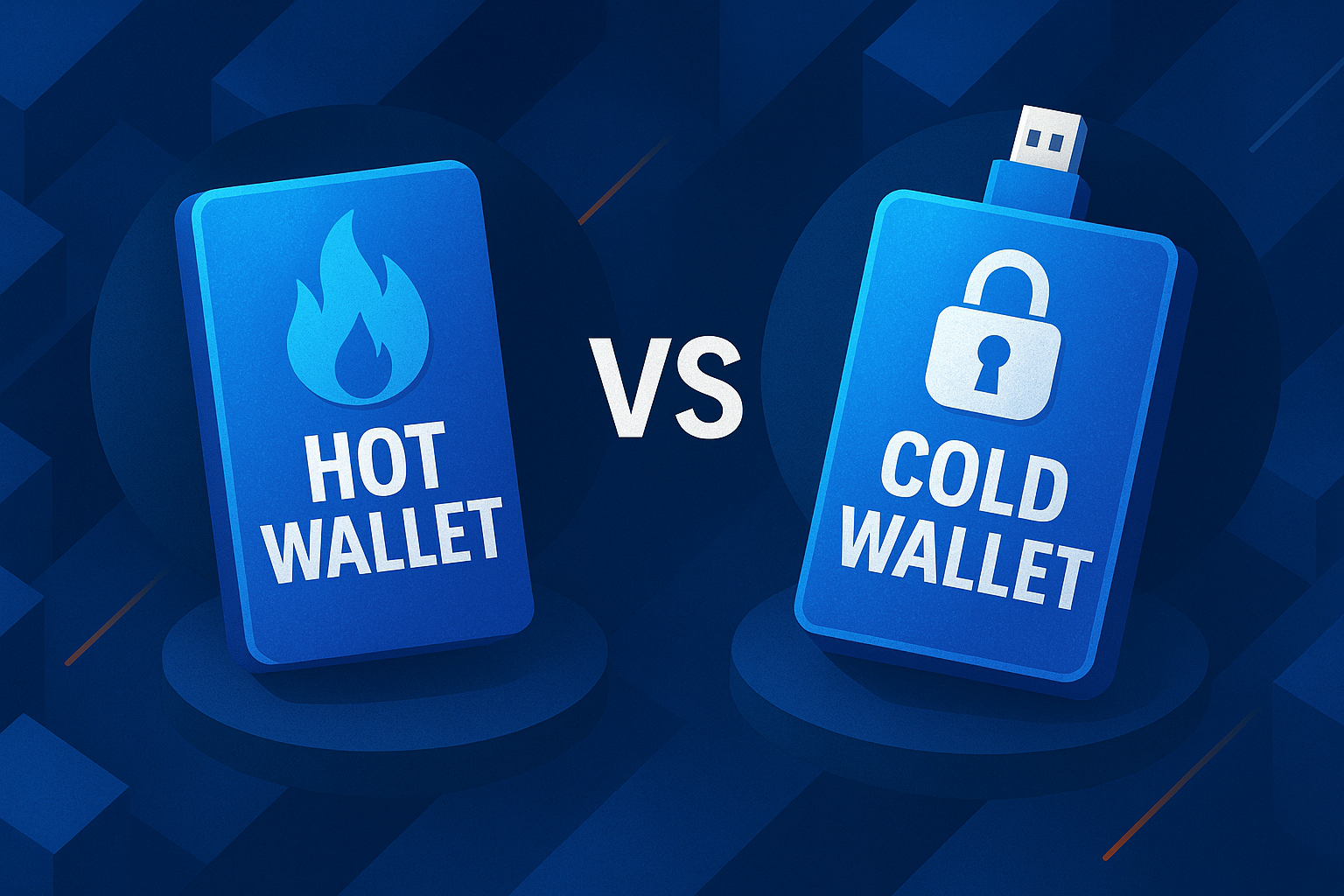
If the wallet connects to the internet, it is a hot wallet (e.g. a phone app or browser extension). If it stays offline, such as a hardware wallet like Ledger or a paper wallet, it is a cold wallet.
Cold wallets are the most secure but less convenient. Hot wallets offer more features and flexibility but come with greater risk from malware, phishing, and malicious dApps.
Hot wallets
A hot wallet is a software wallet connected to the internet, such as MetaMask, Phantom, or Trust Wallet. Hot wallets are convenient for everyday use, but they are more exposed to Web3 phishing, malware, and malicious dApps. Use hot wallets for smaller balances and daily activity only.
Cold wallets
A cold wallet is a hardware device that stores private keys entirely offline. This makes it significantly harder for attackers to steal funds remotely.
Cold wallets are best for long-term holdings and larger balances. As a general rule, keep the majority of your crypto in cold storage.
For a beginner-friendly overview, see Web3 and Web3 wallet in the Kerberus glossary.
The Three Pillars of Wallet Security Hygiene
Crypto wallet hygiene can be broken down into three core areas.
Pillar 1: Security
This covers how you protect your seed phrase, private key, devices, and accounts. Are you leaving digital fingerprints? Is your seed phrase stored in a truly safe location, out of sight and out of reach?
Pillar 2: Operations
This covers how you organize wallets by purpose to limit exposure. It includes using separate wallets for long-term storage, active trading, and risky interactions like new dApp testing.
Pillar 3: Maintenance
This covers how you keep permissions, apps, and devices clean over time. It includes reviewing token approvals, disconnecting unused dApps, and keeping software updated.
Good crypto wallet hygiene is not complicated. It is a repeatable routine that you follow consistently.
For a broader baseline, read the Web3 Security Beginner Guide.
How to Keep Your Seed Phrase Safe and Back It Up
Your seed phrase is the master key to your wallet. Anyone who obtains it can take your funds. If you lose it and have no backup, you can lose access permanently.
What you should never do with your seed phrase
NEVER EVER store your seed phrase in screenshots, photos, email drafts, Google Docs, Notion, password managers, or messaging apps.
Even “private” cloud storage gets breached, and malware often scans devices specifically for seed phrase patterns.
Secure offline backups
Paper is a minimum baseline, but it burns and degrades over time. Metal backups (such as steel plates) are more durable and widely recommended because they can survive fire and water damage far better than paper.
Backing up: How to use the 3-2-1 backup framework
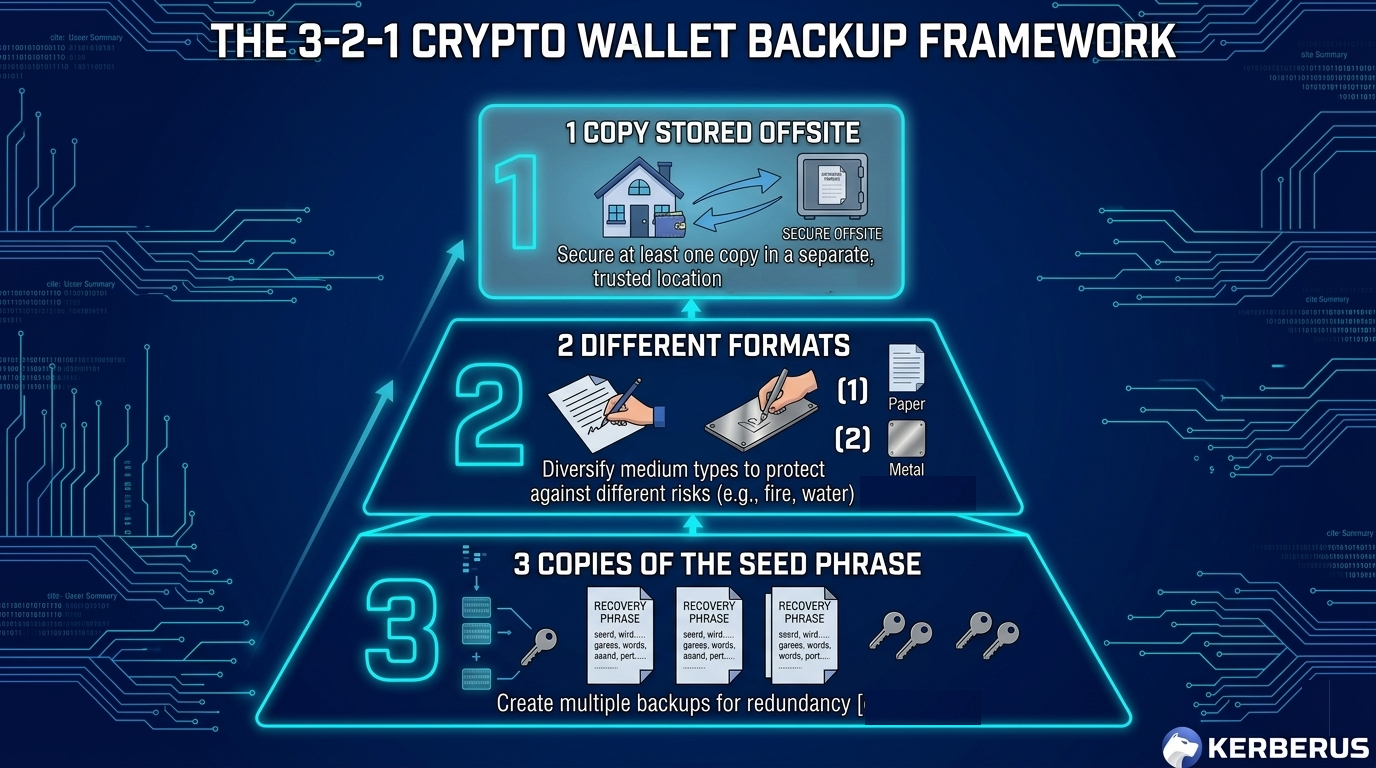
Use a 3-2-1 approach for seed phrase backups:
- 3 copies of the seed phrase
- 2 different formats (for example, paper and metal)
- 1 copy stored offsite (such as a safe deposit box or a trusted location in a different area)
Use a passphrase as an extra layer of protection
Many wallets support an optional passphrase, sometimes called a “25th word.” If someone finds your seed phrase backup but does not have the passphrase, they still cannot access your funds.
This is useful for protection against theft and duress scenarios, but only if you can store the passphrase safely and separately from the seed phrase itself.
The Multi-Wallet Segregation Strategy
One of the most common crypto wallet hygiene mistakes is using a single wallet for everything. That setup means one phishing click or one bad approval can drain your entire portfolio.
A better approach is wallet segregation, which means separating access to your wallets. The concept is straightforward: a drainer can only steal what the compromised wallet can access. If your long-term holdings never interact with risky apps, they stay protected.
The Triple-wallet framework
Have significant funds to keep safe and want to spread your risk? Try a combination of different wallet types to balance convenience and safety.
1. Cold storage wallet (long-term vault)
Use a hardware wallet like Ledger or Trezor for this. If you’re a long-term investor, it’s prudent to keep the majority of your holdings here. But remember, your cold wallet’s defenses, like a secure element, will not protect you against social engineering tricks where you do the heavy lifting for the bad guys.
Do not connect it to random sites. Always double check the address you’re sending to, and not simply the first and last few numbers and letters (this guy lost $50m in an address poisoning attack last year).
Use it only to move funds to and from your active wallet when needed.
2. Warm wallet (everyday use)
A warm wallet mixes hot wallet and cold wallet technology to balance safety and convenience. Private keys are isolated to some degree and must be manually authorized. It’s more used by institutions than the general public.
Use it for regular transfers, basic swaps, and trusted protocols. Keep a limited, working balance here that you can afford to risk.
Watch the example reel on Instagram
3. Burner wallet (high-risk interactions)
Use a separate, disposable wallet for airdrops, NFT mints, and untested dApps where it’s necessary to interact with potentially harmful Web3 protocols and sites to make gains. If something goes wrong, you lose a small amount rather than your entire portfolio.
This structure directly reduces the impact of crypto wallet drainers and drainer-as-a-service (DaaS).
How to Recognize Phishing Scams and Social Engineering
Phishing and social engineering are the biggest threats facing most crypto users. These attacks rarely “hack the blockchain” directly. Instead, they trick you into voluntarily giving up access.
Dangerous Crypto Scams to Watch in 2026
Fake support scams
You post a question in Telegram or Discord and receive a DM from someone posing as “support.” They ask for your seed phrase or send a link to a phishing site. If you don’t know yet, now you do: This is nearly always a scam.
Learn the broader pattern in our guides to Web3 social engineering and the psychology of crypto scams.
Scam airdrops and fake mint pages
Scammers lure users into connecting wallets to fake claim sites disguised as airdrop opportunities. Once you sign the transaction, a drainer contract can pull your tokens immediately.
Address poisoning
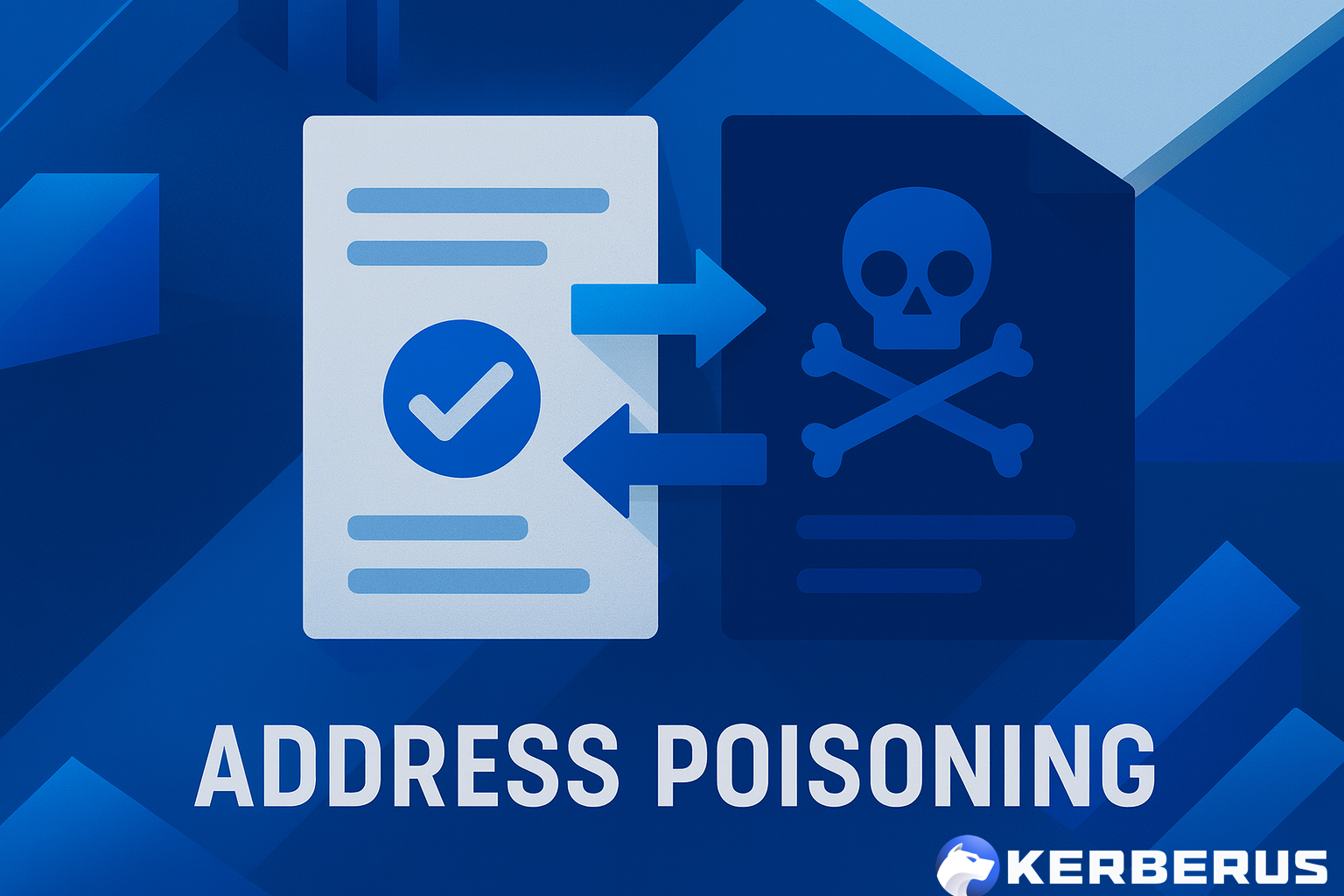
Attackers send tiny transactions from lookalike addresses so the fake address appears in your transaction history. If you copy the wrong address next time you send funds, the money goes directly to the attacker. Read our full guide on address poisoning attacks.
Pig butchering

These are long-running relationship (e.g. Tinder) and “investment coaching” scams that slowly push victims to deposit increasingly large amounts as they make early staged wins. Once the “pig is fattened” (that means you), the scammers quickly make their exit. See our guide on pig butchering romance scams.
Watch the video example on YouTube
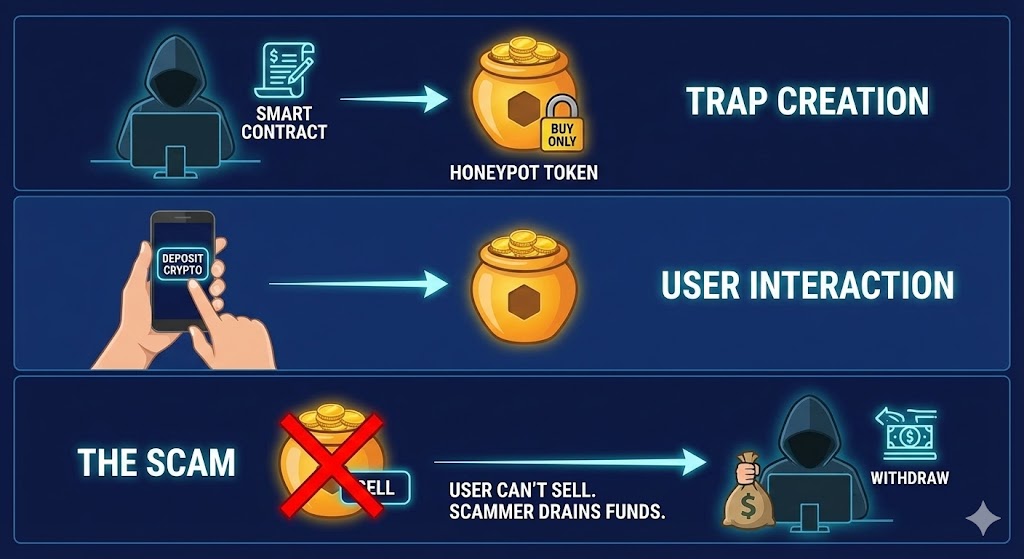
Honeypot contracts
Honeypot tokens are scam coins designed to allow buying but block selling, or they apply extreme sell taxes that make exits nearly impossible.
Red flags checklist
Watch out for these warning signs:
- Unsolicited DMs from “support” or “admins”
- Urgency, threats, or time pressure to act immediately
- Links sent through DMs or comment replies
- Requests for seed phrases or private keys
- URLs with subtle misspellings (e.g. “metamask” vs. “rnetamask”)
- “Verify” prompts that ask you to paste code into a terminal
- Unexpected signature requests after connecting a wallet
For a practical tool overview, see Web3 security tools and Web3 security threats.
How to Verify Transactions and Approve Smart Contracts Correctly
Approving the wrong transaction is one of the most common ways experienced users still lose funds. Token approvals can remain active long after the moment you granted them.
How token approvals work
When you swap or stake tokens, a dApp typically requests an approval that lets a smart contract move your tokens on your behalf. If that contract is malicious or later becomes compromised, it can drain your approved tokens without requiring any further action from you.
This is why malicious approvals are so dangerous and why you should avoid interacting with smart contracts that have known vulnerabilities.
Limited approvals vs. unlimited approvals
Many dApps request unlimited token approval because it is more convenient for the user. However, it is also far riskier. Whenever possible, set a custom approval limit close to the amount you actually plan to use.
What is blind signing?
Blind signing means approving a transaction without being able to clearly understand what it does. Think of it as signing a blank check. Always choose wallets and tools that display readable transaction details before you confirm.
A notable example: OpenSea users fell victim to a blind signing exploit several years ago that caused significant losses across the platform.
Checklist: How to revoke token approvals
Make it a habit to complete this checklist at least once a month:
- Review all active token approvals
- Revoke any approvals you do not recognize
- Remove approvals for dApps you no longer use
- Revoke old unlimited approvals
To revoke token approvals, use a blockchain explorer’s approval checker (e.g. Etherscan’s token approval tool) or a dedicated service like Revoke.cash. Connect your wallet, locate the approved contract, click “Revoke,” and confirm the on-chain transaction. Note that revoking requires a small gas fee.
How to Protect Your Private Key
Private key vs. seed phrase
A private key controls a single wallet address. A seed phrase can generate many private keys across multiple addresses. Protecting the seed phrase is usually the top priority because it unlocks access to everything.
Basic private key security rules
- Never share your seed phrase or private key with anyone.
- Avoid exporting private keys unless you have a specific, advanced reason to do so.
- Keep your devices clean. Keyloggers and clipboard malware are real threats.
2FA and account security
Enable 2FA on all exchanges, wallet-linked email accounts, and any platform connected to your crypto. SMS-based 2FA is the weakest option. Prefer an authenticator app (such as Google Authenticator or Authy) or, for the strongest protection, a hardware security key.
If you use Phantom wallet, follow a safe setup process here: How to Use Phantom Wallet.
Regular Security Maintenance Checklist
Wallet hygiene works best when treated as an ongoing routine, not a one-time task.
Monthly
- Review and revoke unnecessary token approvals
- Disconnect unused dApps from your wallet
- Check recent transactions for any activity you did not authorize
- Update wallet extensions and mobile apps
- Update hardware wallet firmware using official software only
Quarterly
- Test wallet recovery on a small test wallet to confirm your backups work
- Inspect physical seed phrase backups for damage or degradation
- Review your wallet segregation setup and rebalance if your active wallet has grown too large
- Remove unused browser extensions that could pose security risks
Annually
- Conduct a full review of all devices, wallets, and security settings
- Update your crypto inheritance and estate plan
- Reassess your threat model based on current activity and market conditions
Check out our 2026 Web3 Threats Guide to stay current on the latest risks.
Common Wallet Hygiene Mistakes to Avoid
These are the most frequent errors that put crypto users at risk:
- Using one wallet for everything instead of segregating by purpose
- Saving seed phrases in digital formats (screenshots, cloud storage, notes apps)
- Signing transactions without reading the details first
- Using public WiFi for sensitive wallet actions without a VPN
- Clicking links from unsolicited DMs or social media replies
- Leaving unlimited token approvals active for months or years
- Sharing wallet addresses publicly alongside your real identity, which can increase the risk of a wrench attack
- Reusing the same seed phrase across multiple wallets
For definitions of common security terms, browse the Kerberus glossary.
How Kerberus helps you maintain optimal wallet hygiene
Good wallet hygiene means more than avoiding obvious scams. It means maintaining clean, safe transaction habits consistently, even when moving fast.
Kerberus Sentinel3 works in the background to make this automatic. The extension delivers real-time detection and blocking of scam sites with a 99.9% detection rate, covering 1,000+ EVM chains and Solana, with zero user losses since January 2023.
Where most users fall short is not ignorance, it is speed.
FOMO-driven clicks, rushed approvals, and distracted minting sessions create the gaps that attackers exploit. Sentinel3 protects users in the moments they cannot protect themselves, stopping threats before they reach the wallet, with no decisions to make and no warnings to interpret.
The result is consistent protection that does not depend on the user being vigilant every single time. Sentinel3 handles that automatically, keeping your Web3 wallet clean without adding friction to your workflow.
Estate Planning and Crypto Inheritance
Crypto does not automatically transfer to heirs. Without a proper plan, your digital assets can be lost permanently through neglect, confusion, or theft.
How to plan without exposing your keys
Never include a full seed phrase in a document that others can easily access. Instead, document where your backups are stored and how to use them, then keep those instructions in a secure location.
For stronger protection, consider creating:
- Sealed instructions stored with an attorney or in a safe deposit box
- A multisig or MPC wallet setup that requires more than one person to authorize transactions
- A clear inventory of all wallets, accounts, and the physical locations of backup devices
If you use DeFi heavily, consider writing a plain-language explanation for your loved ones that covers what DeFi is, where your positions are held, and how to access them. As a last resort, identify a trusted expert or support team they can consult.
FAQ
What is crypto wallet hygiene?
Crypto wallet hygiene refers to the habits and routines that protect your cryptocurrency from theft and loss. It includes seed phrase protection, wallet segregation, scam awareness, token approval management, and regular security maintenance.
How should I store my seed phrase?
Store your seed phrase offline using physical backups only. Metal backups are more durable than paper. Keep multiple copies in separate, secure locations using the 3-2-1 backup framework.
What is the difference between a hot wallet and a cold wallet?
A hot wallet is connected to the internet and convenient for daily use, but more vulnerable to attacks. A cold wallet stores keys entirely offline and is significantly safer for long-term storage and larger balances.
How often should I revoke smart contract approvals?
Monthly is a good baseline. Revoke any approval you do not recognize, no longer use, or that grants unlimited token access. Revoke.cash is an excellent tool for this.
What are wallet drainers?
Wallet drainers are malicious smart contracts or phishing flows designed to trick users into signing transactions that allow their tokens to be stolen. Learn more in our guide to crypto wallet drainers.
What is address poisoning?
Address poisoning is a scam where attackers create lookalike wallet addresses that appear in your transaction history. If you accidentally copy the fake address, your funds are sent directly to the attacker. See our full guide on address poisoning attacks.
Is SMS 2FA enough for crypto accounts?
SMS-based 2FA is better than no 2FA at all, but it is significantly weaker than authenticator apps or hardware security keys. Upgrade to an app like Google Authenticator or a YubiKey whenever possible.
What if I lose my seed phrase?
If you lose your seed phrase and do not have a backup, you typically cannot recover your funds. This is why offline, redundant backups using the 3-2-1 framework are essential.
Conclusion
Crypto wallet hygiene is not a one-time setup. It is a set of straightforward habits that reduce your risk over time. Protect your seed phrase with offline backups. Separate wallets by purpose so that one mistake cannot wipe out your portfolio. Treat links and DMs as hostile by default. Verify every transaction before signing. Audit your token approvals regularly. Keep all software updated. And finally, build a basic inheritance plan so your crypto is not lost permanently.
For a structured overview of tools and threats to build your security routine, start with these Kerberus guides:
Written by:
Werner Vermaak is a Web3 author and crypto journalist with a strong interest in cybersecurity, DeFi, and emerging blockchain infrastructure. With more than eight years of industry experience creating over 1000 educational articles for leading Web3 teams, he produces clear, accurate, and actionable organic material for crypto users.
- •8+ years in crypto & blockchain journalism
- •1000+ educational articles for leading Web3 teams
- •Former content lead at CoinMarketCap, Bybit, OKX
Related Guides
See more guides
Solana 101: A 2026 Guide to SOL and Its Ecosystem
Mar 13, 2026 • 4 minutes read
Crypto and Web3's 12 Biggest Narratives in 2026
Feb 20, 2026 • 4 minutes read
Honeypot Crypto Scams: How to Detect and Avoid Them
Feb 18, 2026 • 4 minutes read
How to Use Phantom Wallet Safely: A Beginner’s Guide
Feb 12, 2026 • 4 minutes read
Install once & immediately get protected from scams, phishing and hacks. Zero losses for 250k+ users in 3 years. Now with up to $30,000 in coverage.