Web3 Security Tools: How to Protect Your Assets in 2026
Comprehensive guide to the best Web3 security tools for 2026. Learn about phishing protection, transaction scanning, and essential security tips to safeguard your crypto assets.
Why Web3 Security Tools Are Essential
After causing havoc in 2024, Web3 scammers and hackers have leveled up once again in 2025, employing old and new tricks in the book to steal crypto from unsuspecting mainstream users.
So far in 2025, Web3 scams have resulted in staggering losses, with investors and users collectively losing nearly $3.1 billion to hacks, phishing attacks, and fraudulent schemes during the first half of the year alone.
Social engineering attacks, such as phishing and impersonation, have been the most prevalent threat, accounting for a significant portion of these losses, while major incidents like exchange hacks, wallet drainers and rug pulls have also contributed to the rising damage.
The decentralized and pseudonymous nature of Web3 continues to make it challenging to near impossible to recover stolen funds, and the trend shows no sign of slowing as scammers adopt increasingly sophisticated tactics.
With only weeks to go before the new year rings in another barrage of crypto threats, it’s time to take proactive measures.
In this Web3 security tools guide we cover the most common Web3 scam threats for 2026, the best browser-based tools that everyday users can access to stay safe, and general security tips to implement when transacting and participating in Web3.
Web3 Security Tools Guide 2026
Download the complete PDF guide covering all Web3 security tools, threats, and best practices for protecting your crypto assets.
What Are the Most Common Web3 Scams and Attacks?
Crypto scammers and hackers continuously develop new methods to steal digital assets. They exploit technical complexity and human psychology factors to target unsuspecting users with great success, using our fears and yes, greed, against us.
Understanding these schemes as well as your mental weak spots is your first line of defense against becoming a victim.
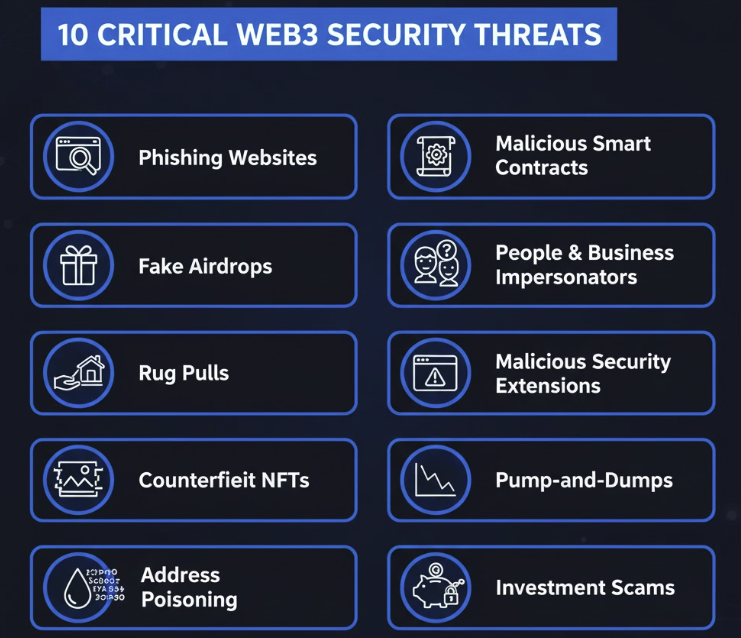
Here are 10 of the most serious security threats facing Web3 users today:
1. Phishing websites that steal wallet credentials
In today’s economy of Attention, we’re so bombarded by online businesses that we get digital fatigue and eventually let our guards down. Scammers know this, and spam the internet with fake sites impersonating popular wallets, exchanges, and DeFi platforms through lookalike domains, sponsored search ads, and social media links.
These sites trick users into entering seed phrases or signing malicious transactions that grant unlimited token spending rights, resulting in instant wallet drainage. Think you’re too smart for this? Even giants of commerce like Mark Cuban have fallen victim to this.
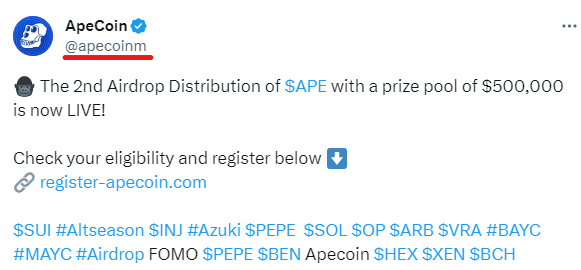
2. Fake airdrop claims designed to drain wallets
Fraudulent airdrop announcements require you to “verify eligibility” by connecting your wallet or signing what appears to be a claim transaction. These fake rewards exploit FOMO around legitimate token launches, using ads and social posts to appear authentic while secretly approving contracts that empty your holdings.
3. Rug pull schemes in new token launches
Developers create tokens, attract liquidity through hype and marketing, then suddenly withdraw all funds and abandon the project. These are especially common in meme coins and unaudited DeFi projects. Some involve gradual insider selling while others use hard-coded backdoors to mint infinite tokens or block selling.
4. Counterfeit NFT collections and fake mint sites
Scammers build copycat websites mimicking official mint pages for popular NFT projects, often timing attacks around major brand partnerships or new collection launches. Buyers connect wallets and pay for NFTs that either never arrive or turn out to be worthless plagiarized copies with no connection to the original creator.
5. Address poisoning attacks exploiting transaction history
Attackers send tiny transactions from addresses nearly identical to ones you’ve previously used, embedding them in your wallet history. When users quickly copy what appears familiar during future transfers, they may unknowingly send funds to the scammer’s address instead.
6. Malicious smart contracts with hidden drain functions
Fraudulent projects deploy contracts containing backdoor functions that allow developers to freeze withdrawals, redirect liquidity, or extract tokens without permission. Even legitimate-looking DeFi platforms may include hidden code that activates months after users grant token approvals, according to CertiK’s security audit data.
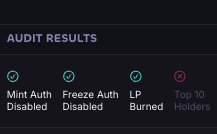
For example, a honeypot scam in crypto is a trap designed to make you think you’ve found a great new token to buy—but once you put your money in, you can’t get it out. Scammers create a token that looks real and active, often showing rising prices or lots of “buyers.”
Everything seems normal when you buy it, but the smart contract is secretly programmed so only the scammers can sell or withdraw funds. Everyone else is stuck. After enough people buy in, the scammers pull out all the money and the token becomes worthless.
7. Fake customer support and admin impersonation
Scammers pose as project moderators or support agents in Discord and Telegram, DMing users with offers to help resolve wallet issues or stuck transactions. MetaMask’s official security guidelines emphasize that legitimate teams never initiate direct messages or request seed phrases—these impersonators exploit newcomers unfamiliar with community norms.
Another popular trick is for scammers to impersonate potential clients or media outlets. They message users on X or Linkedin and try to set up a private Telegram chat where they prompt the victim to download “video conferencing” malware. It’s as good as giving them your password.
8. Malicious browser extensions and apps posing as security tools
Fake wallet extensions and “portfolio trackers” appear in browser stores with fabricated reviews. Once installed, they intercept wallet interactions, read clipboard data, modify transaction details, or push harmful updates later. Even initially legitimate extensions can become compromised after ownership changes.

9. Pump-and-dump schemes using coordinated hype
Promoters artificially inflate token prices through misleading claims, fake celebrity endorsements, and coordinated social media campaigns. When price and volume spike, insiders sell at the peak while unaware new investors are left holding worthless tokens as the price collapses.
A high-profile example in 2025 is the infamous Libra token launch, supposedly supported by the Argentinian president Javier Milei. Retail investors lost hundreds of millions of dollars as insiders cashed out.
10. Investment scams promising guaranteed returns
Fraudsters advertise “risk-free” trading bots, arbitrage systems, or managed crypto funds with promises of daily profits. These platforms show fake dashboards with simulated gains, but Chainalysis fraud research reveals they operate like Ponzi schemes—paying early users with deposits from later victims before disappearing entirely once withdrawals are blocked.
Hey hey hey! The Bitconnect scam that collapsed in 2018 has been memed to death in the crypto space ever since. But, it also damaged the industry’s reputation and cost investors millions.
To paraphrase Pulp Fiction, a scammer often has personality, and personality goes a long way in crypto.
Of course, there are dozens of other crazy threats to be vigilant against. Simply understanding these threats is essential, but awareness alone isn’t enough.
You need active protection while browsing and transacting. Let’s examine the tools that can defend and alert you against these attacks on the go and in real-time.
Top 5 Web3 Security Tools for 2026
When securing your crypto assets, proactive and real-time protection are words to live by.
The most effective approach combines a powerful Web3 browser extension with good security habits. Here’s a detailed overview of the five best Web3 security tools currently available.
We have analyzed them on a basket of Web3 security essentials, features, and of course, their track record.
1. Kerberus
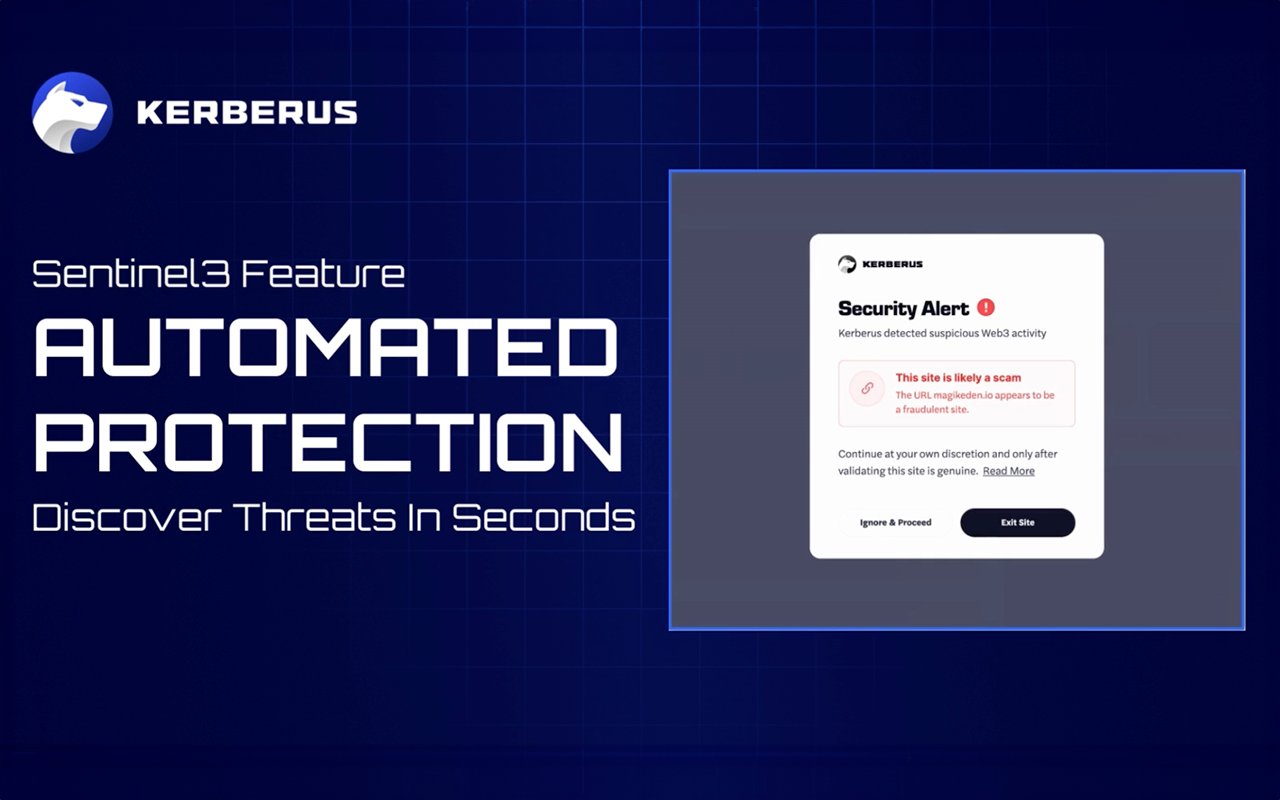
Kerberus Sentinel3 is a Web3 security browser extension available on Chrome, Firefox, and Edge. It was created by Kerberus, an elite cybersecurity team with decades of experience in Web2, where many of the biggest threats originate. Kerberus means business, and it shows: they co-sponsored the world’s flagship crypto conference Token2049 Singapore and in August acquired a powerful Web3 antivirus tool.
Kerberus covers both normal users through its chrome extension as well as enterprises via its sophisticated API.
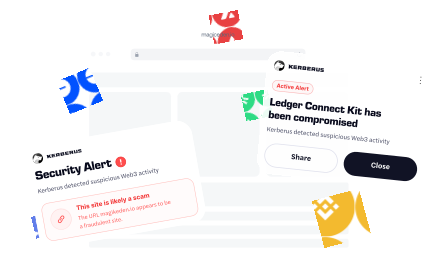
In short, Kerberus protects users by detecting scams in real time as they browse, connect wallets, and sign transactions.
The browser extension:
- blocks malicious websites with a reported 99.9% detection rate
- has recorded zero user losses since early 2023
- supports more than 1,000 EVM chains and Solana (beta)
- offers coverage of up to $30,000 for missed threats.
The extension analyzes Web3 activity in two stages:
A fast Initial Analysis runs when you connect your wallet, followed by a Deep Analysis during any transaction or signature request.
If it identifies harmful behavior, Sentinel3 automatically stops the transaction and displays an alert.
Alerts use a Color-Coded system:
- red for high-risk scam activity,
- yellow for suspicious patterns, and
- gray for uncertain or low-quality signals.

Previously known as the popular MintDefense, Kerberus can detect multiple types of threats, including malicious approval requests, deceptive staking or minting sites, and on-chain attacks such as address poisoning.
Its Lightning Block feature may stop dangerous sites before they load, while Social Shield warns users about impersonators on social feeds.
Here are Kerberus’ best product features to use:
- Transaction Translation to show how assets will change before signing
- Active On-Chain Protection for detecting attacks such as address poisoning
- Protect Everywhere for warnings when copying malicious addresses or links
- Social Shield for detecting impersonators
- Emergency Alerts for major security incidents
- Pre-Connect Loader for additional analysis before interacting
- Secure RPC (optional) for private, MEV-resistant transactions
For Web3 users who want automated, hands-off protection with a financial backstop, Kerberus offers comprehensive coverage across multiple attack vectors. Even better, in 2025 its team also acquired Pocket Universe, the next recommended tool, creating a unified Web3 security front in the process for their users.
2. Pocket Universe

Pocket Universe is a Web3 security browser extension available on Chrome, Brave, and Firefox. It protects users at the moment of signing by simulating transactions on a forked blockchain before execution.
Pocket Universe alerts users if they interact with phishing scams, malicious seaport transactions, honeypot NFTs, or counterfeit tokens.
The extension has attracted over 180,000 users who protect more than $1 billion in assets, according to the company’s website.
It operates by simulating each transaction before you sign it, creating a clear preview of exactly which assets will move and where they’ll go.
When you attempt to sign a transaction, Pocket Universe intercepts it, runs the simulation, and displays the results in plain language. If it detects suspicious activity—such as “approval for all” scams, honeypot NFTs, or fake tokens—it flags the transaction with clear warnings and risk indicators.
Pocket Universe can identify multiple threat types, including wallet drainer scams that request excessive permissions, counterfeit tokens masquerading as legitimate assets, and phishing sites with malicious smart contracts. The extension also checks URLs against known scam databases and displays browser-level warnings when you visit suspicious sites.
Key features include:
- Transaction simulation showing asset movements before signing
- Clear previews of token approvals and permission requests
- Phishing detection with browser-level warnings
- Honeypot NFT identification
- Fake token detection
- No wallet connection required for installation
- Basic insurance coverage (reports indicate up to $20,000, though terms may vary)
For Web3 users who prioritize transparency and want to understand exactly what they’re signing before approving transactions, Pocket Universe provides accessible protection with minimal setup.
3. ScamSniffer

ScamSniffer is a Web3 security solution available as browser extensions for Chrome, Firefox, and Edge, alongside API integrations and community bots. It protects users by identifying scam websites and malicious transactions in real time through comprehensive database cross-referencing.
ScamSniffer serves both individual users through its extension and platforms through its developer API. It supports a wide range of chains including EVM networks, Solana, Bitcoin, TON, and Tron. NFT marketplaces and data platforms integrate ScamSniffer’s API to check URLs and protect their communities.
ScamSniffer can detect various threats, including phishing websites that impersonate legitimate platforms, malicious signature requests that grant unauthorized permissions, and compromised contracts that drain wallets. The system also monitors social media—particularly Twitter—for phishing links and warns users before they click through to dangerous sites.
Key features include:
- Real-time website and signature scanning
- Cross-referencing against extensive threat databases
- Red-screen alerts for malicious sites and transactions
- Balance change monitoring during transactions
- API access for platform integration
- Discord bot for community protection
For Web3 users who want ecosystem-wide protection, ScamSniffer offers solid monitoring with community-driven intelligence.
4. Wallet Guard
Wallet Guard is a Web3 security browser extension available on Chrome, Firefox, Brave, and Edge. It protects users through multi-layered defense mechanisms for self-custody wallets, converting complex transaction data into human-readable explanations.
Unfortunately, the service sunsetted its core product in March 2025. While its open-source codebase and extension remains available for users who value its approach, it’s important to note that it is not actively being updated, which opens new risks.
Wallet Guard can detect multiple threat types, including phishing attempts that mimic legitimate platforms, fake websites designed to steal credentials, honeypot tokens that prevent selling, and risky token contracts with hidden functions. The extension’s proactive detection catches threats before users connect wallets or approve actions, providing an additional layer of security earlier in the interaction process.
Key features include:
- Human-readable transaction translations
- Proactive phishing detection before wallet connection
- Clear warnings with risk ratings
- Honeypot and risky token detection for DeFi traders
- Transaction simulation without wallet access
- No private key exposure or asset movement capability
- Support for Ethereum, Polygon, Arbitrum, and Optimism (simulations)
- Chain-agnostic phishing detection
- Open-source codebase for transparency
For Web3 users who value open-source security tools and want clear explanations of what they’re signing, Wallet Guard provides transparent protection even as its official support transitions.
5. Web3 Antivirus

Web3 Antivirus (W3A) is a Web3 security browser extension available on Chrome, Firefox, Brave, Edge, and other major browsers. It protects users through machine-learning powered transaction simulation, smart contract analysis, and risk assessment before signing. The extension performs real-time analysis that allows you to see potential side effects of transactions before approving them. W3A covers Ethereum, Polygon, Arbitrum, BNB Chain, Optimism, and other EVM chains.
The extension operates by analyzing the entire chain of smart contracts involved in each transaction. When you attempt to sign, W3A simulates the transaction, examines all contract interactions, and presents results in color-coded charts that break down each step. It evaluates token legitimacy by checking creation dates, supply metrics, price history, and contract addresses against known patterns of fraudulent tokens.
Web3 Antivirus claims to detect multiple threat types, including wash trading schemes that artificially inflate token volumes, NFT intellectual property infringements where collections copy legitimate artwork, honeypot tokens that prevent selling after purchase, and smart contracts with hidden malicious functions. The extension also performs website analysis to catch typosquatting and phishing attempts through AI-powered domain similarity validation.
Key features include:
- Transaction simulation showing potential side effects
- Smart contract chain analysis with visual charts
- Token analysis (type, creation date, supply, price, contract address)
- Color-coded risk reports (red for high, yellow for medium, green for low)
- Website analysis against blocklists and allowlists
- Wash trading detection
- NFT fair price calculation for bidding
- Personal dashboard for monitoring wallet activity
- Token approval tracking with revocation recommendations
For Web3 users who want detailed security insights and comprehensive smart contract analysis before every transaction, Web3 Antivirus provides in-depth protection with clear risk reporting.
Honorable Mention: Revoke.cash
While not a security scanner, Revoke.cash is an essential tool for wallet hygiene. Decentralized applications require approvals to spend tokens; if you don’t revoke them, those permissions remain active indefinitely. Revoke.cash allows you to inspect and revoke token approvals across more than 100 EVM networks. The browser extension warns you when you’re about to sign a potentially harmful transaction, helping prevent phishing scams.
The process is straightforward: connect your wallet, inspect current approvals using sorting and filtering options, and click “Revoke” on any approval you no longer need. Regularly revoking permissions limits your exposure in case a dapp you used is later hacked. Although Revoke.cash cannot recover stolen assets, it reduces attack surfaces and complements the protective tools listed above.
Web3 Security Tools Comparison Table
| Feature | Kerberus | Pocket Universe | ScamSniffer | W3A | Revoke |
|---|---|---|---|---|---|
| Coverage ($) | $30,000 | $20,000 | No | No | No |
| Transaction Sim | Yes | Yes | Yes | Yes | No |
| Phishing Detect | Yes | Yes | Yes | Yes | No |
| Address Poisoning | Yes | Yes | Yes | Yes | No |
| Social Media Alerts | Yes | Yes | Yes | Yes | No |
Top 10 Security Tips to Stay Safe In Web3
Practice makes perfect, and best practice is even better when it comes to Web3 safety. Technology alone cannot secure your assets; good habits are essential. Here are ten invaluable practices to reduce your scam and hack risk in 2026:
1. Never share your seed phrase or private key with anyone
Store your recovery phrase offline on paper or metal, never in screenshots, cloud storage, or password managers. Ledger recommends keeping backups in multiple secure physical locations like a safe or safety deposit box.
2. Use hardware wallets for big holdings
Reputable cold wallets like Ledger, Trezor, and CoolWallet keep your private keys offline and away from internet-connected devices. This prevents remote hackers from transferring your funds even if your computer or phone is compromised.
3. Maintain multiple wallets for different purposes
Separate your holdings across different wallets based on risk level. Keep your main holdings in a hardware wallet, use a separate hot wallet for daily transactions, and create disposable wallets for experimental protocols or NFT claims.
4. Check transaction details carefully before signing
Verify the recipient address, token amount, and contract permissions on your wallet screen. According to CertiK, many exploits succeed because users approve malicious transactions without reading them.
If you use a comprehensive real-time Web3 antivirus solution like Kerberus, you can go about your business and get proactively alerted if any funny business pops up.
5. Only use bookmarked URLs for crypto platforms
Never click links from social media, emails, or search results. Phishing sites that look identical to legitimate platforms are extremely common—manually type or use saved bookmarks for all DeFi and exchange access.
6. Review and revoke unnecessary token approvals regularly
Use Revoke.cash to check which smart contracts have permission to spend your tokens. Remove approvals you no longer need, especially unlimited allowances from old DeFi protocols.
7. Research projects thoroughly before investing
DYOR—Do Your Own Research. These are words to live by for any digital asset investor. Look for high-quality security audit reports by the likes of Hacken, verify team credentials, and check community feedback. If a project lacks transparent documentation or has anonymous developers making big promises, treat it as high risk, and stay away.
8. Keep your wallet software and browser extensions updated
Security patches fix known vulnerabilities that attackers actively exploit. Enable automatic updates where possible and check for updates before conducting high-value transactions.
9. Use separate wallets for NFT claims and experimental protocols
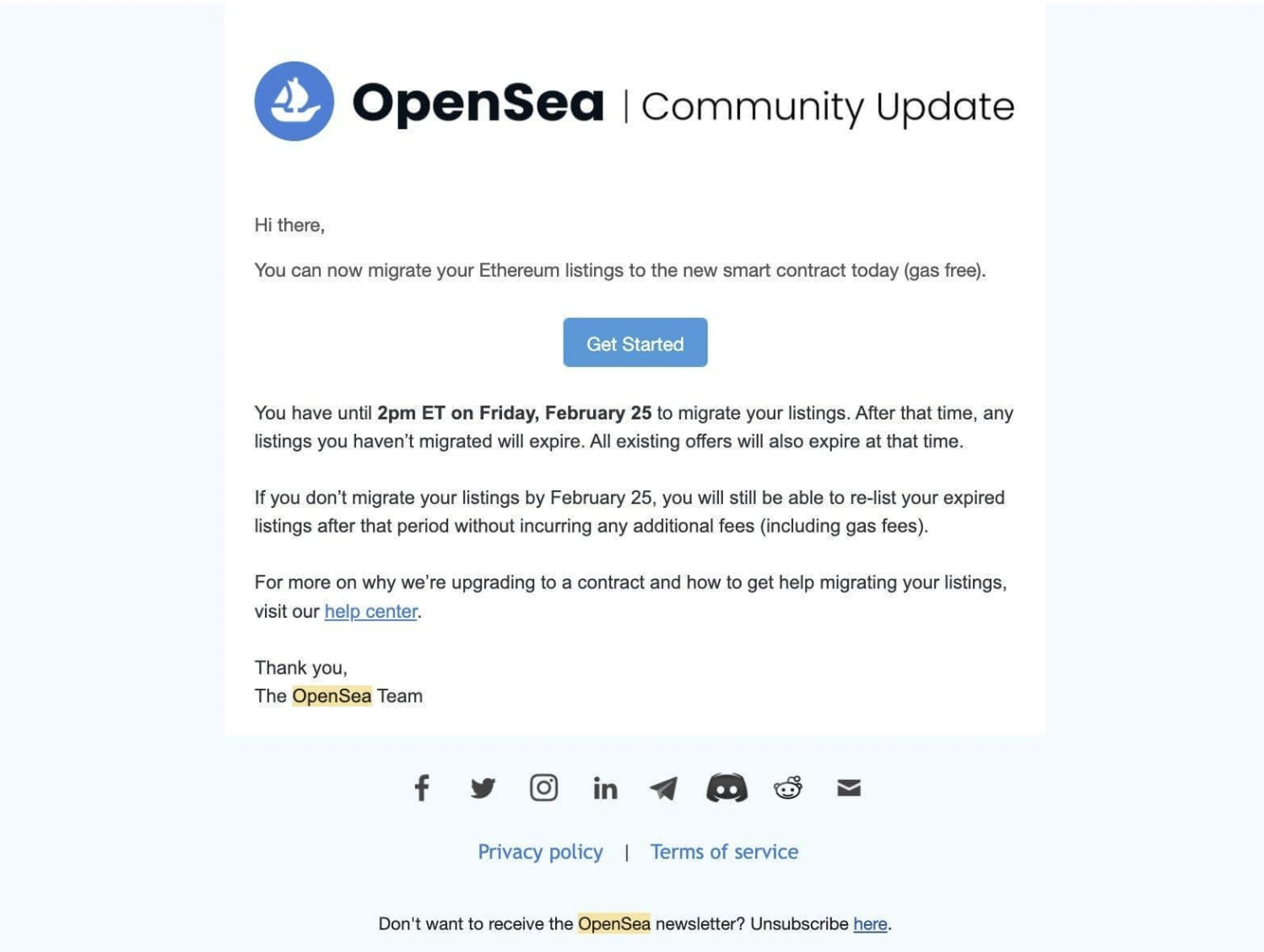
NFT marketplaces and wallets are huge targets for bad actors, as this OpenSea phishing hack of 2022 showed. Don’t put all your NFTs in one basket! Create disposable wallets with small amounts of funds for interacting with new or unverified contracts. This prevents malicious smart contracts from accessing your main wallet’s assets.
10. Start with small test transactions on unfamiliar platforms
Before moving significant funds, send a small amount first to verify everything works correctly. According to Chainalysis, this simple practice catches address errors, network mistakes, and potential scams before major losses occur.
Conclusion
The five tools covered in this guide each excel in different areas. Kerberus provides comprehensive automated protection with generous coverage. Pocket Universe makes transaction details crystal clear before you sign. ScamSniffer offers real-time threat detection with community integration. Wallet Guard translates complex blockchain operations into plain language. Web3 Antivirus dives deep into smart contract analysis. And Revoke.cash maintains your wallet hygiene by managing lingering permissions.
No single tool can claim to provide complete protection, which is why layering your security makes sense.
Use a primary real-time scanner, supplement it with regular approval maintenance, and always verify what you’re signing.
And remember: The best security tool is still the one between your ears—stay skeptical, verify everything, and never rush transactions.
Ready to protect your Web3 transactions with real-time security? Get Sentinel3 and join 250k+ users who have experienced zero losses with 99.9% detection rate and $30,000 coverage per transaction.
Written by:
Werner Vermaak is a Web3 author and crypto journalist with a strong interest in cybersecurity, DeFi, and emerging blockchain infrastructure. With more than eight years of industry experience creating over 1000 educational articles for leading Web3 teams, he produces clear, accurate, and actionable organic material for crypto users.
- •8+ years in crypto & blockchain journalism
- •1000+ educational articles for leading Web3 teams
- •Former content lead at CoinMarketCap, Bybit, OKX
Related Guides
See more guides
Crypto and Web3's 12 Biggest Narratives in 2026
Feb 20, 2026 • 4 minutes read
Honeypot Crypto Scams: How to Detect and Avoid Them
Feb 18, 2026 • 4 minutes read
How to Use Phantom Wallet Safely: A Beginner’s Guide
Feb 12, 2026 • 4 minutes read
Wake Up! WEF 2026 Cybersecurity Report Sounds Alarm For Crypto Sector
Feb 11, 2026 • 4 minutes read
Install once & immediately get protected from scams, phishing and hacks. Zero losses for 250k+ users in 3 years. Now with up to $30,000 in coverage.